

Coordinate units on one map
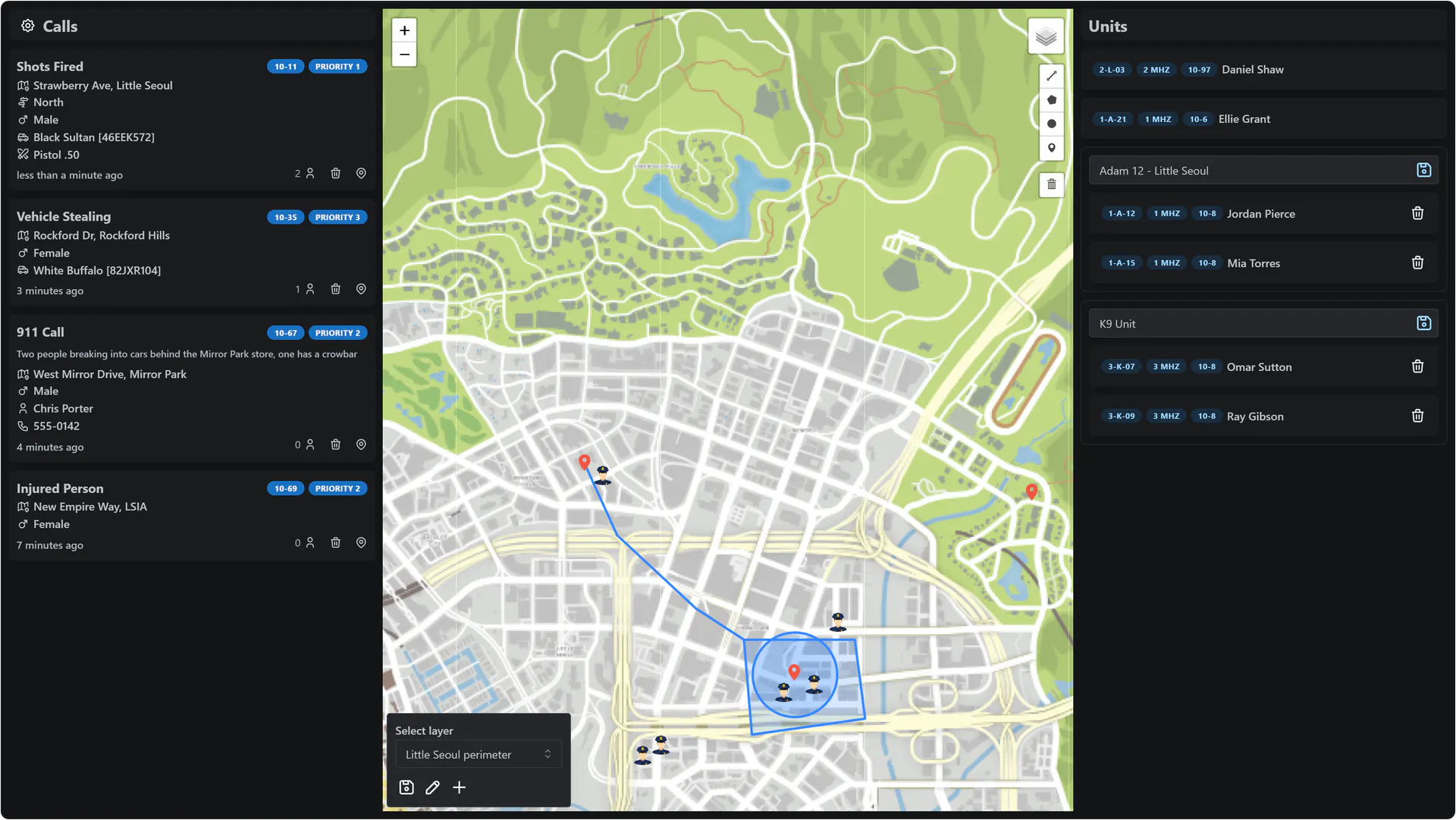
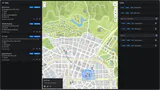
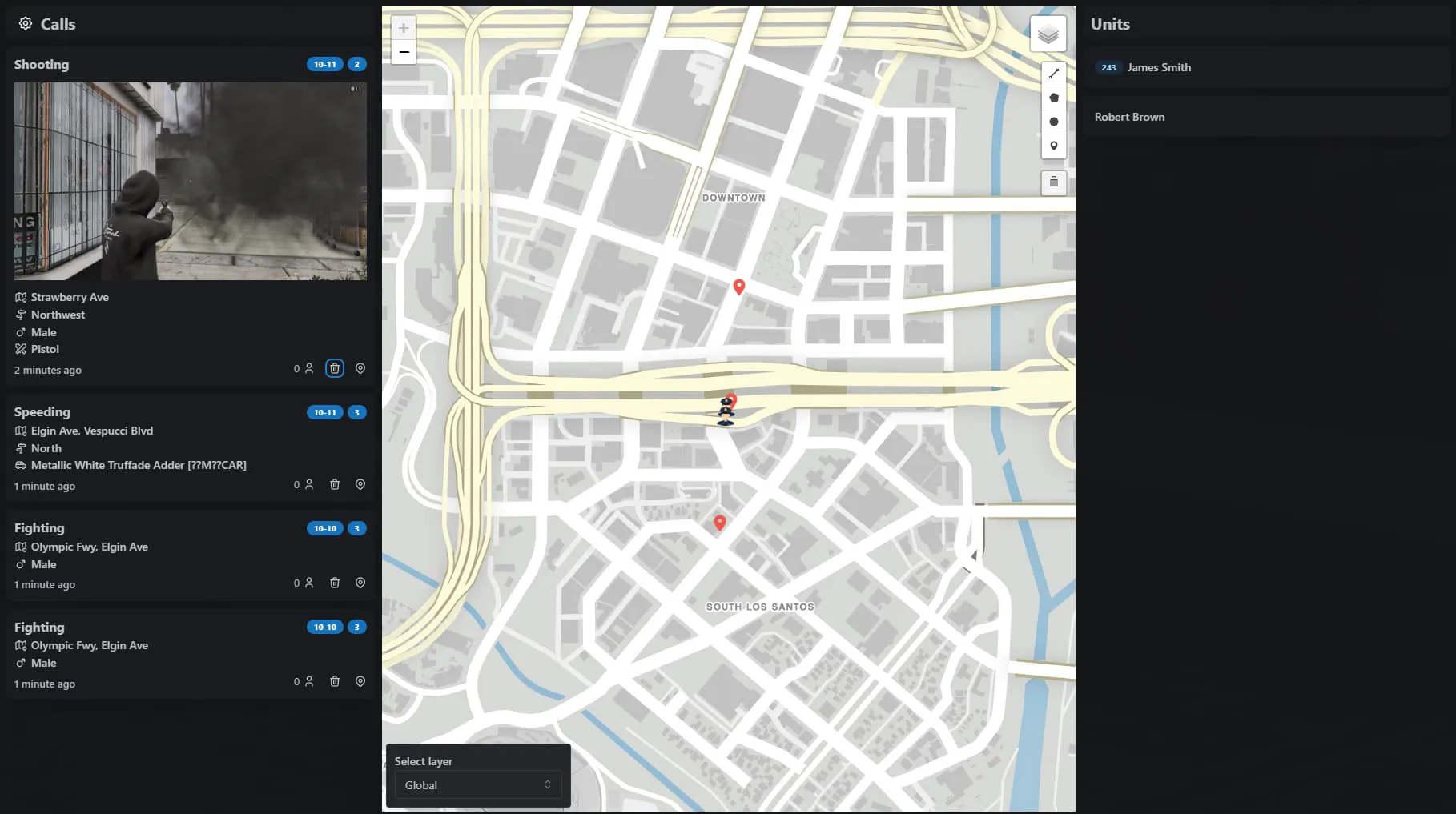
The full map shows every active call and unit. Dispatchers manage the units, and each responder sets their own radio, callsign and status, shown beside their unit.
Give police, EMS and other jobs their own live FiveM dispatch map with every call and unit.
Supports ESX, QBCore, Qbox and Standalone
Video published . Plays from YouTube (Google), which may store data on your device. Watch on YouTube: Dispatch System showcase
Dispatch map: draw on a layer and group units by dragging them together.
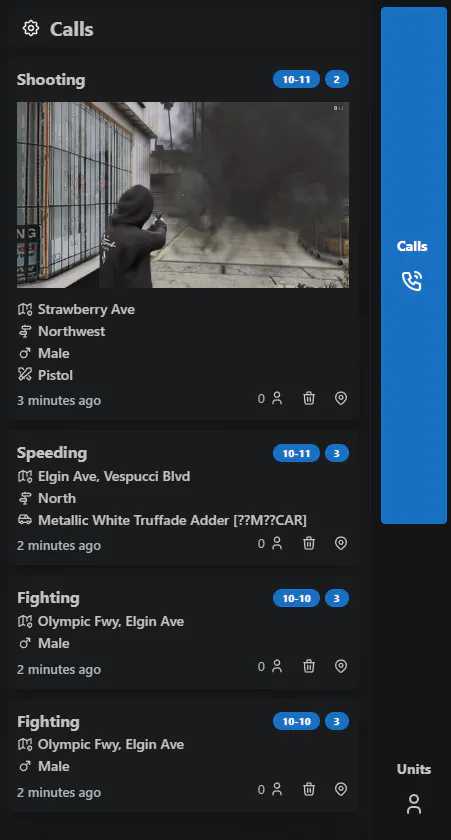
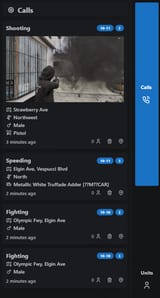
Calls sidebar
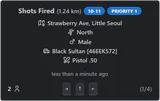
Call manager: step through calls with the arrow keys and respond to set a waypoint.
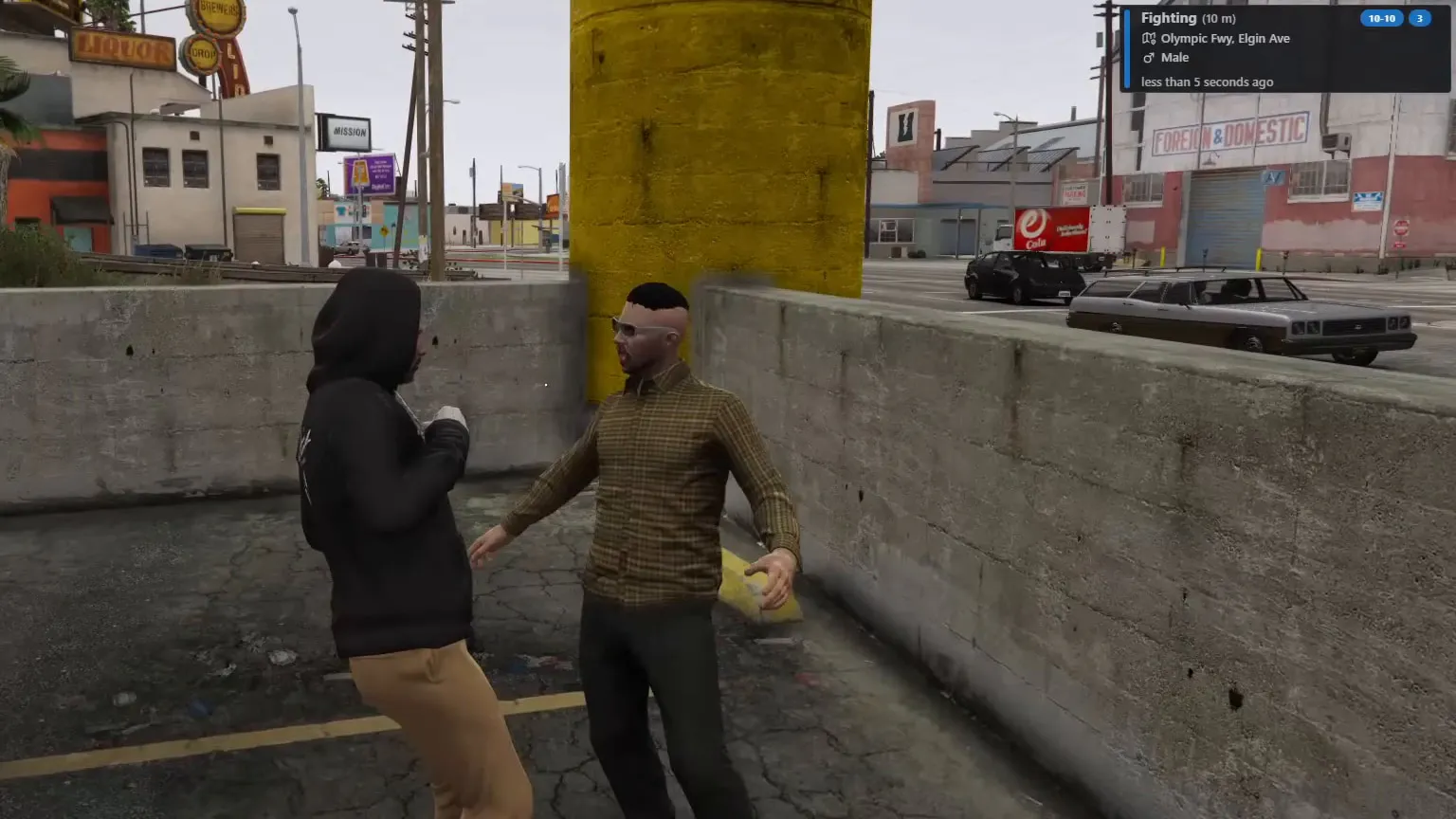
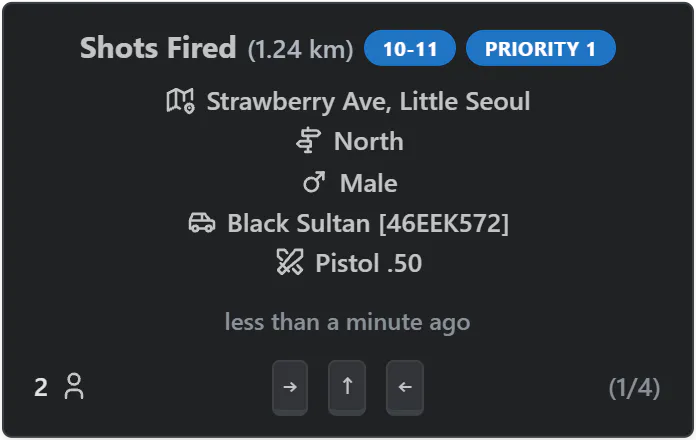
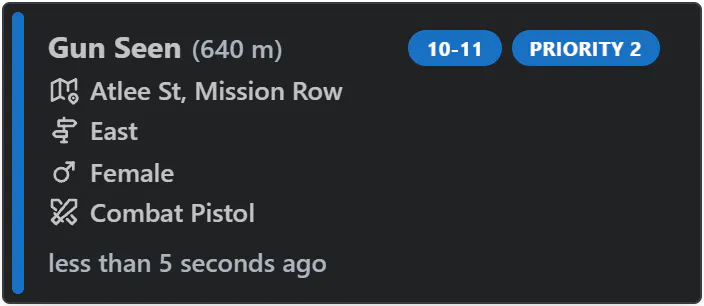
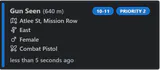
Alert notification: a new call shows its code, priority, street and weapon.
€14.99 + VAT at checkout
Supports ESX, QBCore, Qbox and Standalone
Ultimate Full access
€39.99/month + VAT
33 scripts that cost €549.67 + VAT bought one by one, plus every future release.
Essential Starter
€24.99/month + VAT
7 police, EMS and management scripts.
Renews monthly. Cancel any time in your Tebex payment portal (external site). Scripts stop after the paid period.
Covers scripts and bundles, and on a plan the first payment only. Not valid on gift cards. One use per customer or IP address. Enter it in your cart under Have a code?, or at Tebex checkout.
Dispatch & MDT, 2 scripts
€27.99 + VAT, Save €11.99 (29%), €39.98 + VAT if bought separately
Or all 5 police scripts in the Police Bundle.
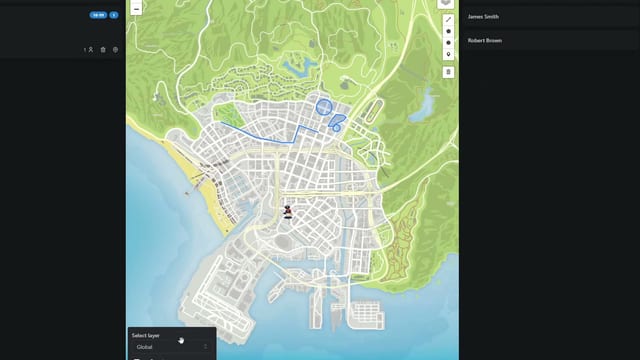
A layer is picked, a circle is drawn and two units are dragged into one group.
You can run it on ESX, QBCore and Qbox, or standalone with the Badger API. You can replace the call sound by editing PlayCallSound in the editable file. Custom maps such as Liberty City work once the map image is converted into tiles.
Step through calls with the arrow keys; responding sets a waypoint, and keybindings change in the config.
Most of their alert exports keep working as they are; any alert that doesn't takes one addCall line.
Shooting, gun seen, fighting, speeding, vehicle theft, injured person, panic button and /911, each set up in the config.
Alerts can show code, priority, phone number, vehicle, weapon and a player photo; photos need screenshot-basic and a Fivemanage token.
Draw lines, circles, markers and polygons on layers, and choose which units can see each layer.
Drag units onto each other to form a named group; each unit sets its own radio, callsign and status.
Pick a task to see the screen that does it.
The full map shows every active call and unit. Dispatchers manage the units, and each responder sets their own radio, callsign and status, shown beside their unit.
The sidebar shows calls and units in less space, and new alerts appear in the top-right corner for a while. In the call manager, responders move through calls with the arrow keys and set a waypoint by responding. Keybindings change in config or in FiveM's own keybinding settings, and the I key moves the call manager.
Each premade alert has its own config settings, such as whether an NPC needs line of sight to the player before it is sent. Most alerts from ps-dispatch, qs-dispatch and cd_dispatch exports arrive the same way, and any other script can add calls with the addCall export.
ps-dispatch, qs-dispatch and cd_dispatch: most old alert exports work unchangedaddCall export: title, jobs and blipPlayCallSound in client/main_editable.luaOptional: player photos in alerts need screenshot-basic and a Fivemanage token in config_sv.lua, and standalone servers can use the Badger API.
Check compatibility in the Dispatch System docs (external site)
Where a row says “or”, one of them is enough.
Supports ESX, QBCore, Qbox and Standalone
Other frameworks: Custom (see the note under the table)
Qbox is also known as qbx.
tk_dispatchNot required. The script runs without any of these.
Custom: the integration code is editable, so you can add your own resource. Setup required.
We release updates from time to time, as set out in our Terms of Service.
New major versions are free for existing owners.
All updates on the TK Scripts changelog
Open a ticket on Discord (external site)
Open Dispatch System documentation (external site)
Read the Dispatch System discussion on the Cfx.re forum (external site)
The Terms of Service cover refunds, updates and support.
Yes. Standalone servers use the Badger API by default, and it also supports ESX, QBCore and Qbox. Framework-specific functions and events are editable, so you can add your own framework.
Most ps-dispatch, qs-dispatch and cd_dispatch alert exports keep working unchanged. For an alert that doesn’t, or one from any other script, add exports.tk_dispatch:addCall inside its police alert function.
Yes. The sheriff and leo jobs are in the police dispatch group by default. To add another job, add it to that group’s jobs in Config.Dispatch; alerts sent to police then reach it too.
Yes. Convert your map image into tiles (the docs use the gdal2tiles-leaflet Docker image) and replace the tiles in tk_dispatch/web/build/tiles/atlas, keeping the same folder structure.
Buying, code access and refunds: store FAQ and where to buy
These connect with Dispatch System. Each is sold separately.

Arrests, patrol gear, vehicle radar, live bodycams and as many stations as you need.
Supports ESX, QBCore and Qbox
Top 5 paid police job script on FiveM
450+ servers (5Metrics, checked 11 October 2026)
€24.99+ VAT at checkout, one-off

Unlimited department MDTs with records, incidents, warrants and in-game permissions.
Supports ESX, QBCore and Qbox
Top 3 MDT script on FiveM
650+ servers (5Metrics, checked 11 October 2026)
€24.99+ VAT at checkout, one-off
Server counts: 5Metrics, checked 11 October 2026. Detected servers running each script, rounded down.
€14.99 + VAT, one-off. Or subscribe: Essential at €24.99/month + VAT (this script plus 6 more) or Ultimate at €39.99/month + VAT (this script plus 32 more).
Renews monthly. Cancel any time in your Tebex payment portal. Scripts stop after the paid period. All sales are final; no refunds.
Checkout by Tebex. Terms of Service
Tebex charges the plan price every month until you cancel and emails you a reminder about three days before each charge. Cancel any time in your Tebex payment portal. Your plan then shows as Ending: it stays active but will not renew. Scripts keep working until the end of the paid period, then stop. Your monthly price stays the same while your subscription stays active (before VAT). Next: log in with Cfx.re, then pay on Tebex.