Analytics runs only if you accept. No names, codes or payment details are sent, and shopping works the same either way. Details: privacy and cookies.

  • Necessary Keeps your cart and this choice in your browser so the store works. We ask again after 12 months.
    Always on
  • Analytics (PostHog) Counts pages, clicks and store actions with your device type and rough location, and may record your visit with typed text hidden. Its cookie lasts 365 days. Data is stored in the EU.
    Off
  • Videos Product videos load from YouTube (Google) only when you press Play. YouTube may store data on your device. If you reject, Play opens the video on youtube.com in a new tab instead.
    When you press Play

With analytics on, the site keeps this visit's campaign source in this tab until you close it.

Change your choice any time with Cookie settings at the bottom of the page.
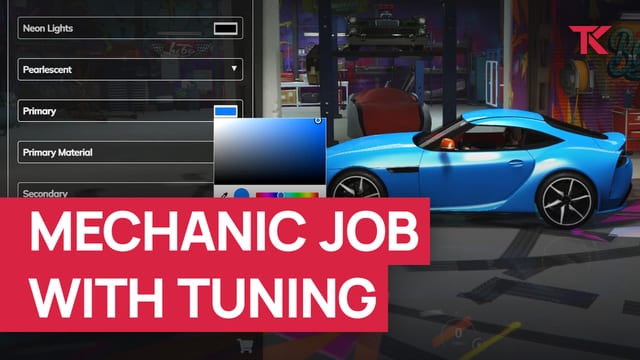
Mechanic Job with Tuning

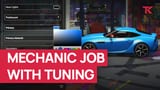
A FiveM mechanic job on ESX: a tuning menu with colour pickers and one job menu for repairs and tows.

Supports ESX

Buy or subscribe

One-off purchase

€14.99 + VAT at checkout

Supports ESX

Buy now skips the cart: log in with Cfx.re, then pay on Tebex.

Included in Ultimate

Compare subscriptions

Ultimate Full access

€39.99/month + VAT

33 scripts that cost €549.67 + VAT bought one by one, plus every future release.

Subscribe to Ultimate

Renews monthly. Cancel any time in your Tebex payment portal (external site). Scripts stop after the paid period.

15% off one order Terms

Covers scripts and bundles, and on a plan the first payment only. Not valid on gift cards. One use per customer or IP address. Enter it in your cart under Have a code?, or at Tebex checkout.

Discount code NEW15

v1.9.2: changelog

Mechanics also get cloakrooms, a boss menu, garages and storages for money, items and weapons. Shops sell items such as repair kits. You set outfits, craftable items, garage vehicles and the minimum grade for each vehicle in the config. An admin-only export also opens the tuning menu.

At a glance

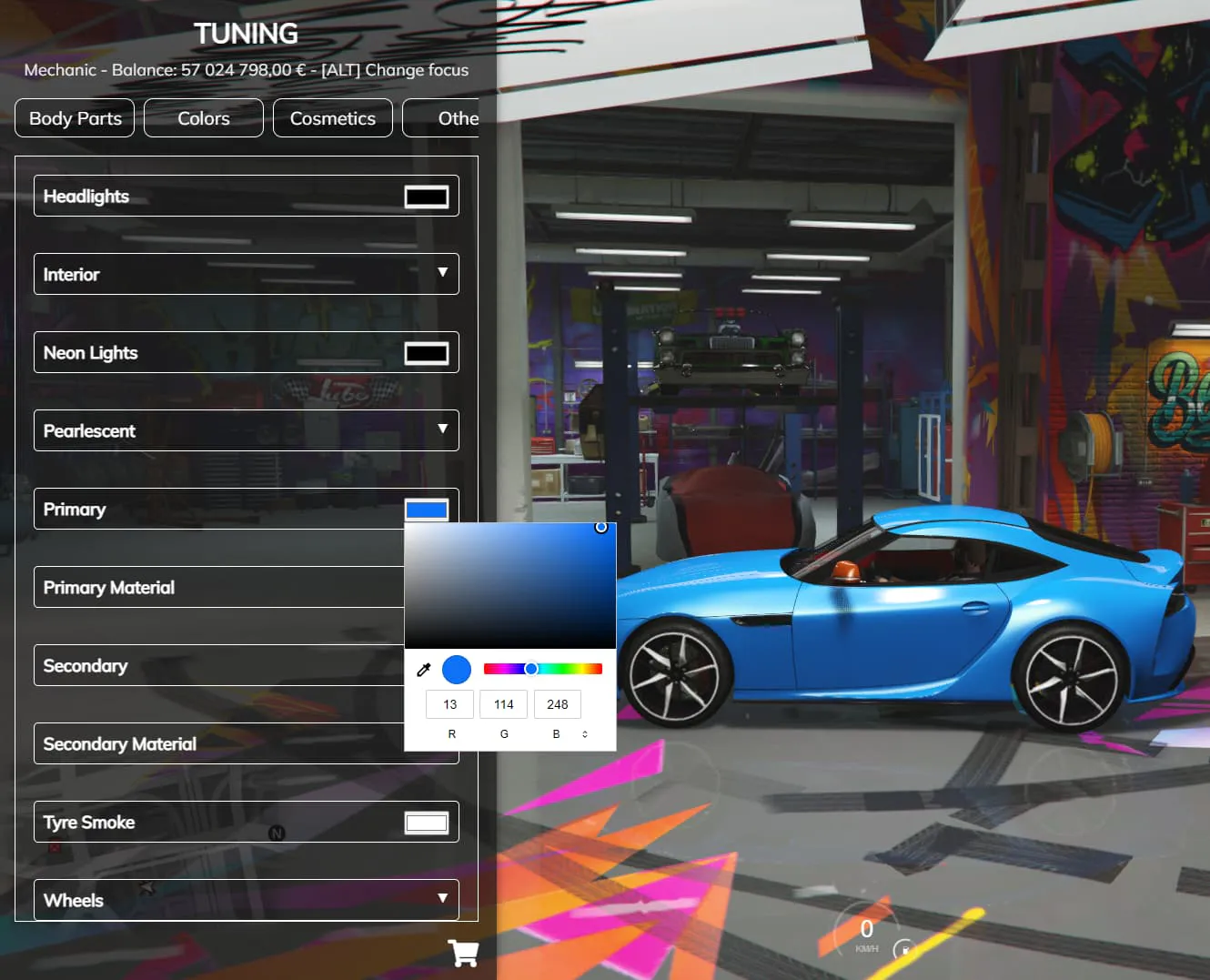
  • Tuning menu with colour pickers

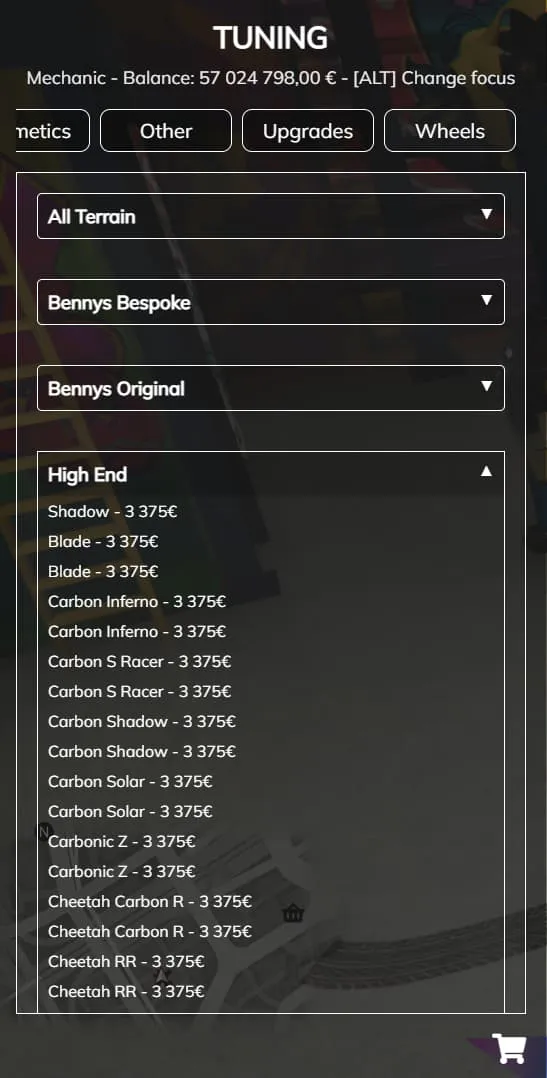
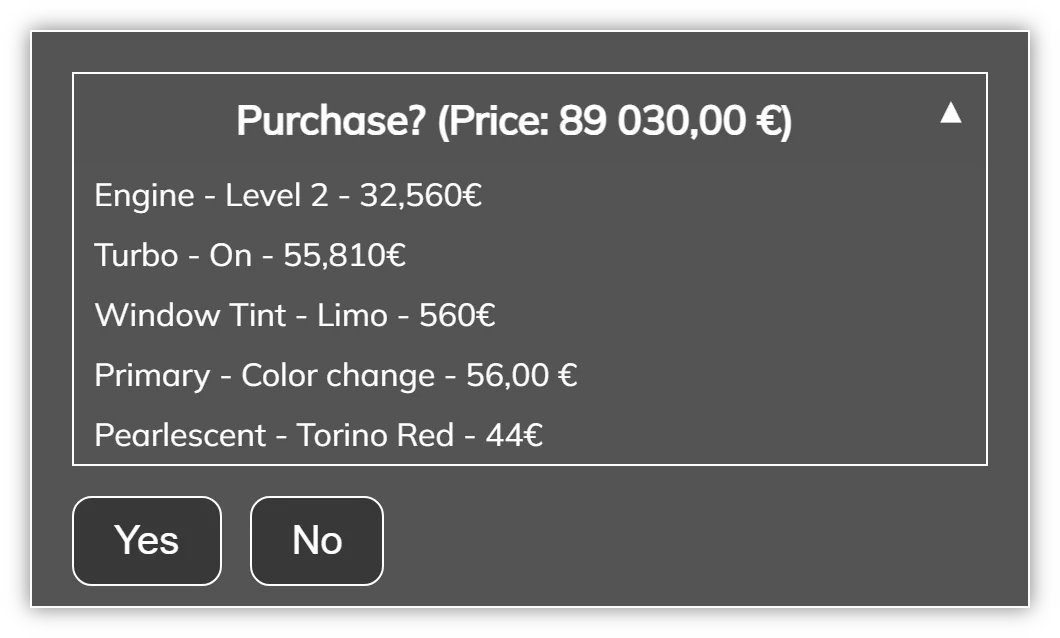
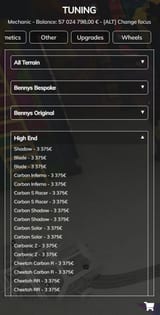
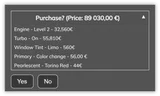
    Parts are sorted into categories, with a summary of installed parts and the total price at the end.

  • Separate tuning menus by class

    Restrict vehicle classes to certain menus, for example a menu just for motorcycles.

  • Bennys by default, add more shops

    Coordinates are set for the Bennys interior, and you can add as many mechanic shops as you want.

  • Repair, clean, lockpick, impound, tow

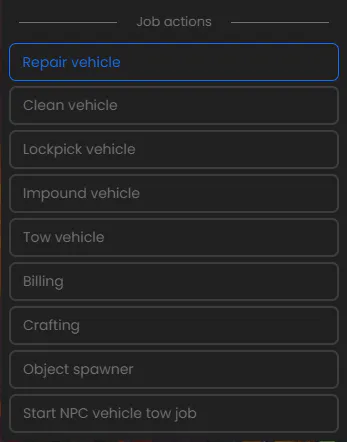
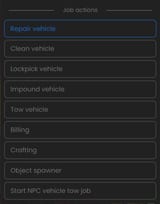
    Mechanics run every job action from one menu, along with billing, crafting and the object spawner.

  • Three craftable repair kits

    Engine, body and full repair kits by default, and you can add more craftable items and crafting areas.

  • Tow NPC cars for pay

    A tow job sends you to an NPC car at a random spot; tow it back to the shop to get paid.

What Mechanic Job with Tuning does

Tow cars on the flatbed

The Tow vehicle entry in the job actions menu loads the car onto the flatbed, and NPC tow jobs pay for each car brought back to the shop. In the config you set the pay, whether it goes to cash, bank, black money or the society account, and which vehicles can tow.

Repair, clean, lockpick and impound

Mechanics work on the car in front of them, and each action plays its own animation. You choose which actions each job gets, and set each animation and how long it takes in the config.

Craft repair kits at the bench

Mechanics craft inside the crafting areas you place, and each kit fixes its own part of the car: the engine, the body or all of it. You set each item's ingredients, and which jobs and grades can craft each group.

Full feature list

Show the full list Hide the full list

Tuning menu

  • Custom tuning menu with a user interface
  • Restrict vehicle classes to certain menus, for example a separate menu for motorcycles
  • Colour pickers for vehicle colours
  • All parts separated into categories
  • See all installed parts and the total price at the end

Job actions menu

  • Repair vehicle
  • Clean vehicle
  • Lockpick vehicle
  • Impound vehicle
  • Tow vehicle

Crafting and objects

  • Craft 3 repair kits by default
  • The engine kit fixes only the engine, the body kit only the body, the normal kit the whole vehicle
  • Add more craftable items in the config, in groups, and add crafting areas
  • Object spawner with 2 objects to place and pick up by default; add more in the config

NPC tow jobs

  • Start a tow job from the job actions menu
  • Each job sends you to an NPC car at a random spot
  • Tow the vehicle back to the mechanic shop
  • Completing a tow job pays a small amount of money

Job facilities

  • Cloakrooms with as many outfits as you want in the config
  • Boss menu
  • Storages for money, black money, items and weapons, with ammo saved
  • Garages, either society garages or default vehicle spawner garages, with a minimum grade per vehicle
  • Shops for items such as repair kits

Supported resources and languages

  • Turn on ox_lib menus, ox_target and ox_inventory storages in the config
  • English and Finnish locales
  • An export opens the tuning menu (admin only)

Requirements and compatibility

Required: es_extended, the SQL import, and esx_skin with skinchanger for the cloakroom. The default setup also uses esx_society, esx_addonaccount, esx_billing, esx_menu_default and esx_menu_dialog. Optional: Config.UseOx moves the menus to ox_lib (add it to fxmanifest.lua) and allows ox_target; ox_inventory can hold the storages.

Check compatibility in the Mechanic Job with Tuning docs (external site)

Where a row says “or”, one of them is enough.

Frameworks

Supports ESX

Code access
Protected by Cfx.re Asset Escrow. The config files and editable files are open for you to change. Its interface is plain HTML, CSS and JavaScript, so you can edit it freely. To get something changed or added in the editable file, open a ticket on Discord.
All compatibility details
Resource name
esx_tk_mechanicjob
Database
oxmysql or mysql-async
Inventory
ox_inventory or Custom (see the note under the table)
Target
ox_target or Custom (see the note under the table)
Languages
English, Finnish

Custom: the integration code is editable, so you can add your own resource. Setup required.

Updates, support and terms

Update policy, Discord support and the Terms of Service

Updates

We release updates from time to time, as set out in our Terms of Service.

New major versions are free for existing owners.

Current version 1.9.2, updated 3 May 2025.

All updates on the TK Scripts changelog

Support

Open a ticket on Discord (external site)

Open Mechanic Job with Tuning documentation (external site)

Read the Mechanic Job with Tuning discussion on the Cfx.re forum (external site)

Terms

The Terms of Service cover refunds, updates and support.

Read the Terms of Service

Questions before you buy

Is there a QBCore or Qbox version?

No. It is an ESX script and needs es_extended. Only the ESX package is sold.

Does it work with ox_inventory and ox_target?

Yes. Set Config.UseOx for ox_lib menus, then Config.UseOxTarget for ox_target; Config.UseOxInvSystem opens the storages in ox_inventory.

Buying, code access and refunds: store FAQ and where to buy

Get Mechanic Job with Tuning

€14.99 + VAT, one-off. Or subscribe to Ultimate for €39.99/month + VAT: this script plus 32 more.

Renews monthly. Cancel any time in your Tebex payment portal. Scripts stop after the paid period. All sales are final; no refunds.

Checkout by Tebex. Terms of Service

How billing works

Tebex charges the plan price every month until you cancel and emails you a reminder about three days before each charge. Cancel any time in your Tebex payment portal. Your plan then shows as Ending: it stays active but will not renew. Scripts keep working until the end of the paid period, then stop. Your monthly price stays the same while your subscription stays active (before VAT). Next: log in with Cfx.re, then pay on Tebex.

Mechanic Job with Tuning €14.99 + VAT Ultimate plan

Add to cart: Mechanic Job with TuningView cart