Design a spray, then place it
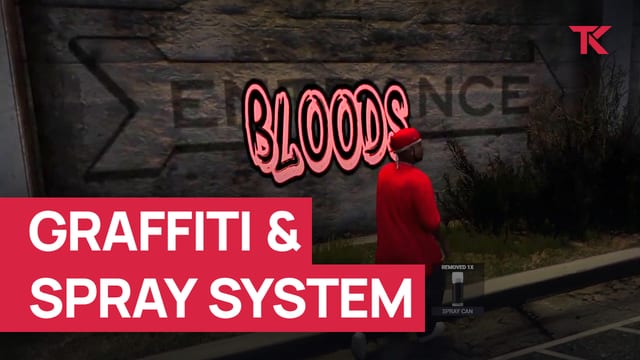
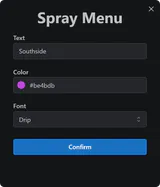
Players open the spray menu with an item or /spray, type the text, pick a colour and font and check the preview. After confirming, they place it on a wall with a spraying animation.
FiveM graffiti that players spray on walls with their own text, colour and font.
Supports ESX, QBCore, Qbox and Standalone
Plays from YouTube (Google), which may store data on your device. Watch on YouTube: Graffiti & Spray System showcase
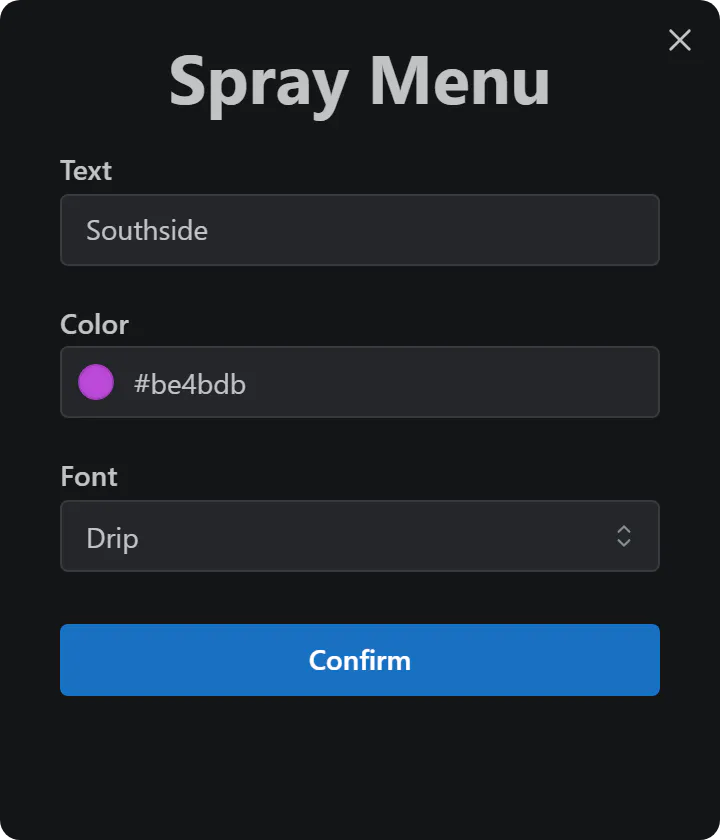
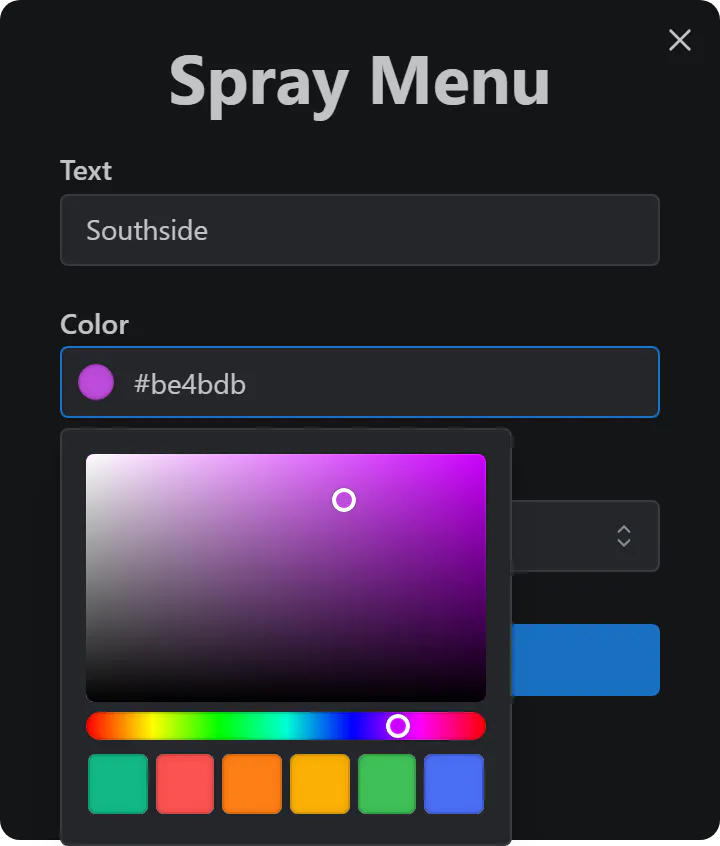
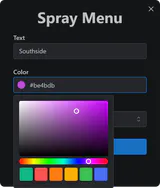
Spray menu: type the text, then pick a colour and font.
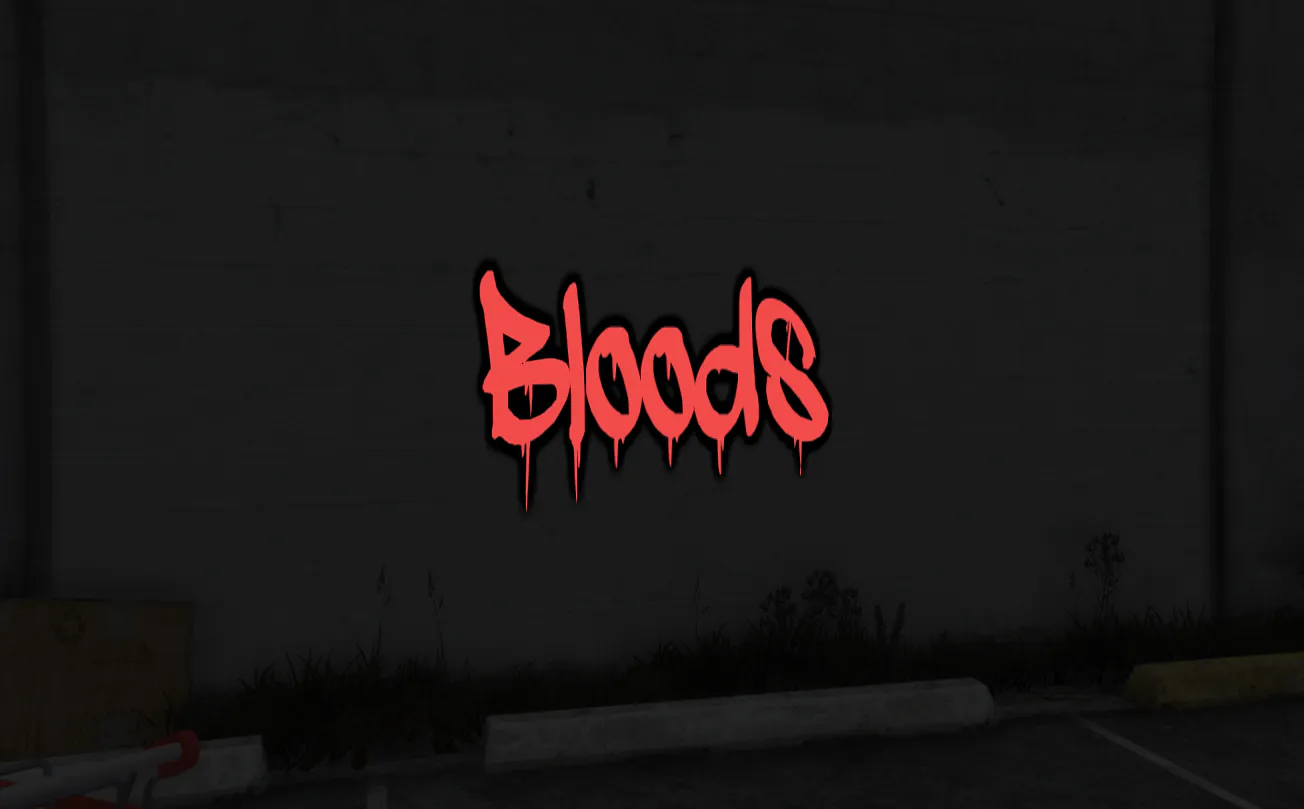
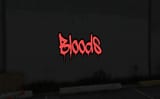
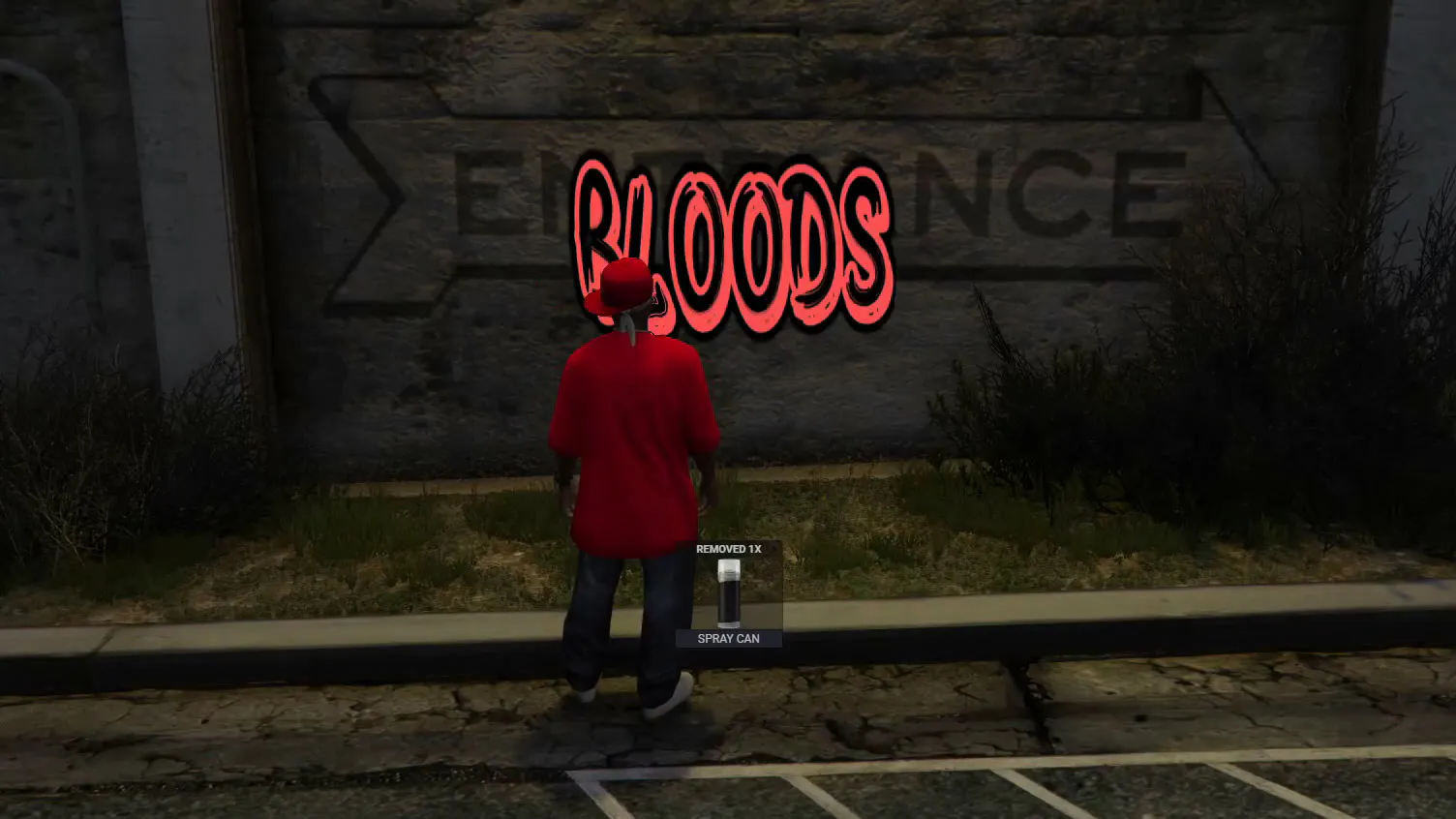
Red drip text
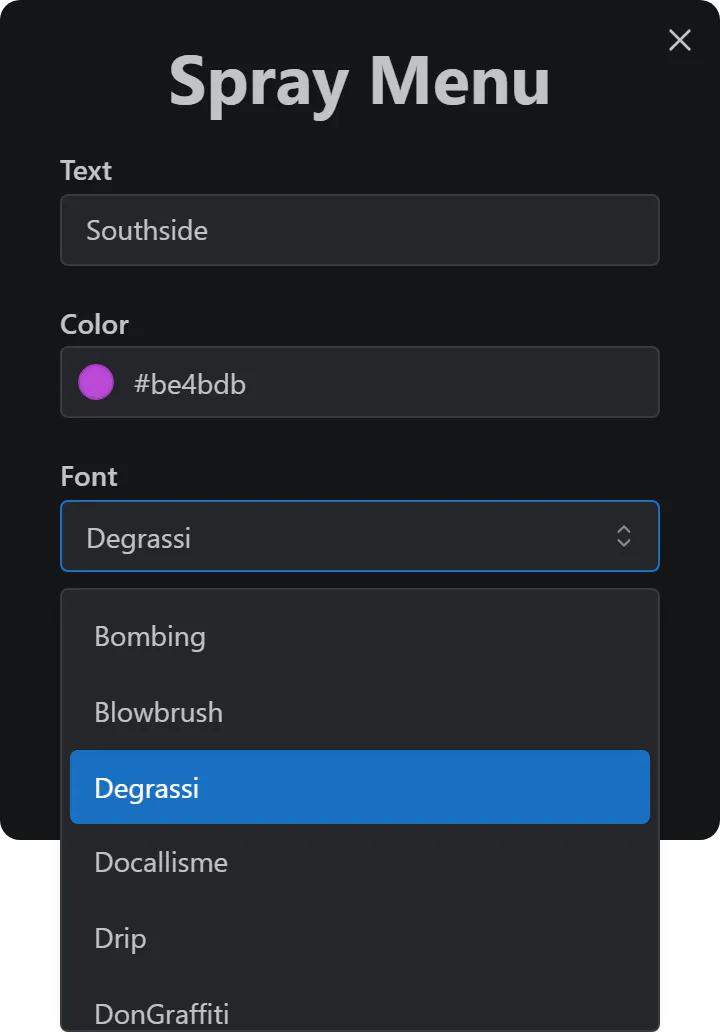
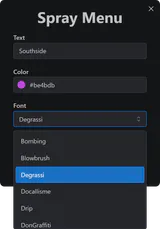
Font list: choose one of the default or added fonts.
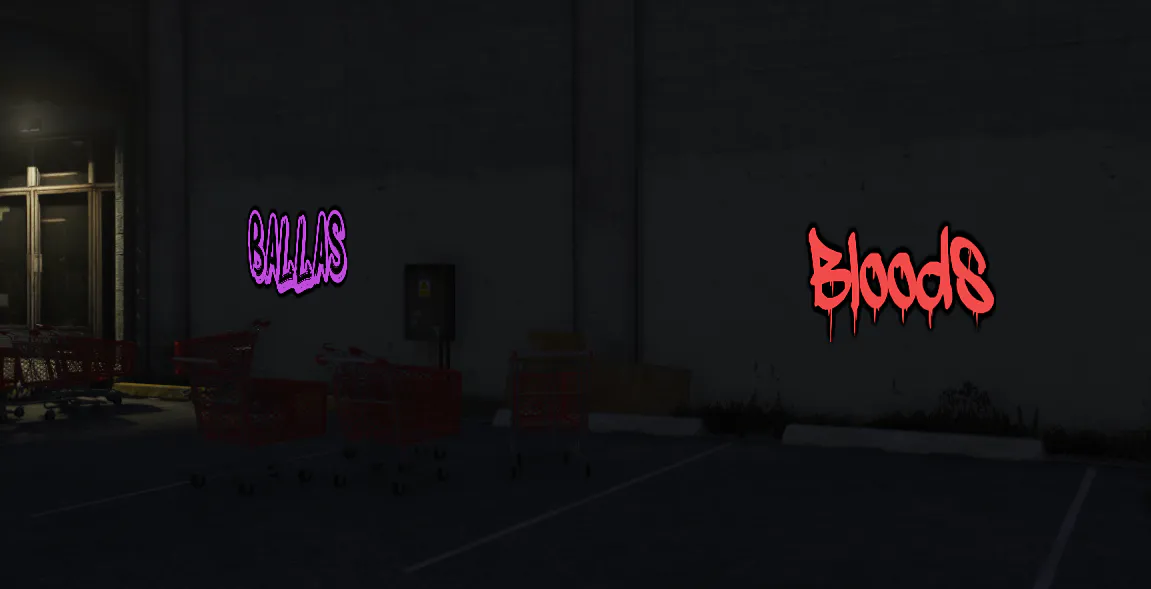
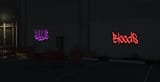
Ballas and Bloods tags
Colour picker: pick a new colour or one of the 6 recent ones.
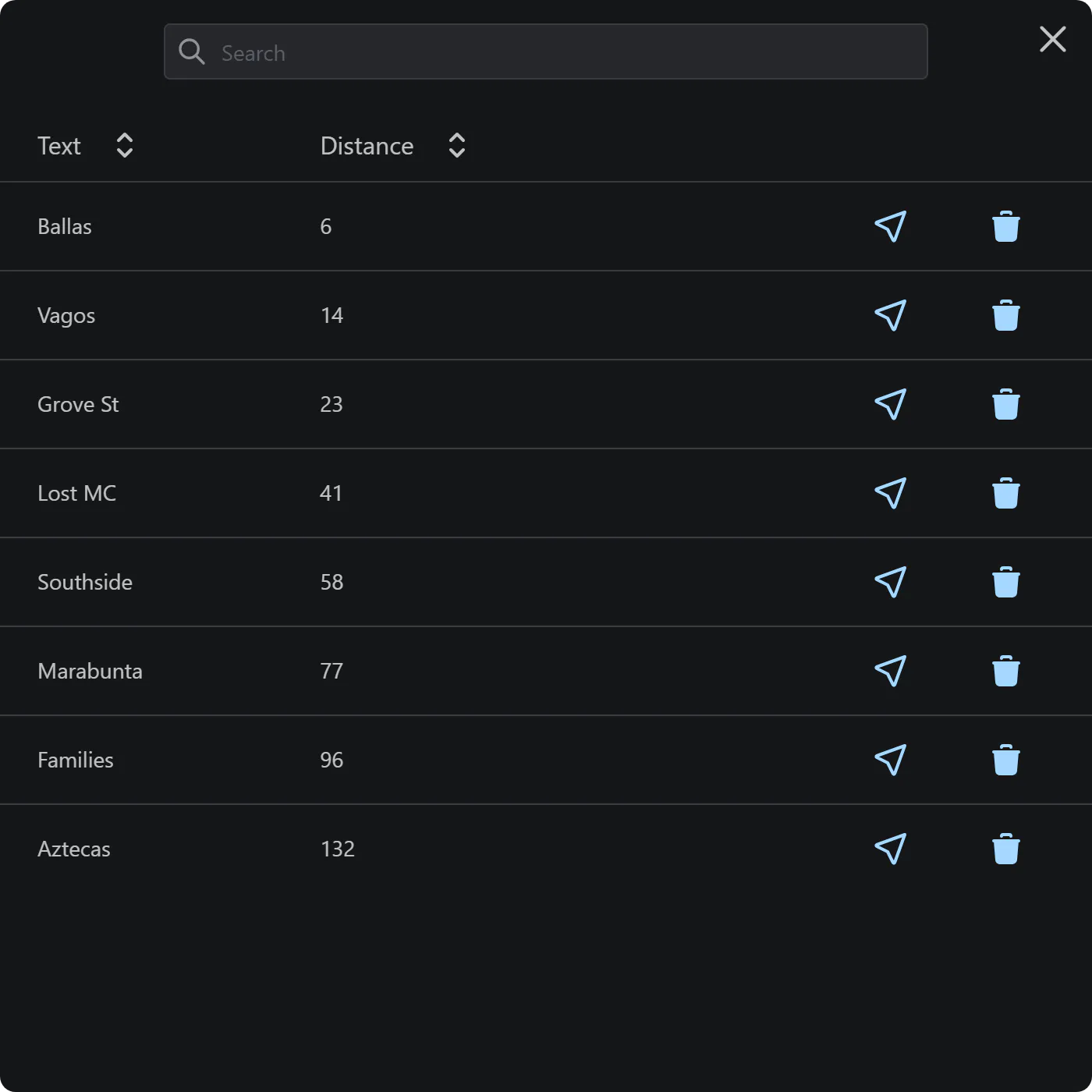
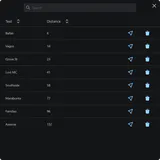
Admin spray list: teleport to or remove any placed spray.
€14.99 + VAT at checkout
Supports ESX, QBCore, Qbox and Standalone
Ultimate Full access
€39.99/month + VAT
33 scripts that cost €549.67 + VAT bought one by one, plus every future release.
Renews monthly. Cancel any time in your Tebex payment portal (external site). Scripts stop after the paid period.
Covers scripts and bundles, and on a plan the first payment only. Not valid on gift cards. One use per customer or IP address. Enter it in your cart under Have a code?, or at Tebex checkout.
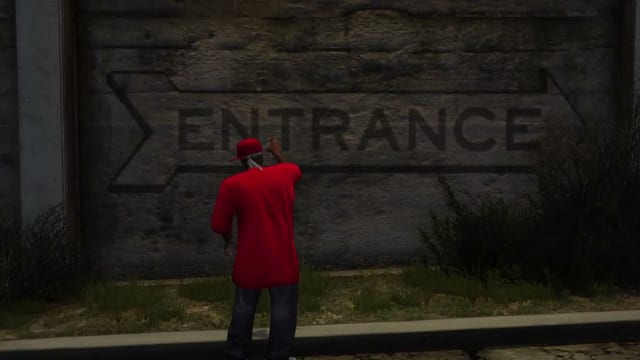
The spraying animation, then the tag lands on the wall.
The script runs standalone or on ESX, QBCore and Qbox. Sprays only go on even surfaces. There is no cap on how many are placed, but FiveM shows at most 14 on screen at once.
Players pick the text, colour and font and check a preview first; text only, with no images and no vehicles.
Block or allow specific words and set a minimum and maximum text length.
Set how long a spray stays before it decays and is removed automatically.
Ships with 12 fonts, 10 of them custom, with room for more; the colour picker remembers 6 recent colours.
Players clear the nearest spray with an item or /removespray, and staff can remove any spray from /sprayadmin.
Players open the spray menu with an item or /spray, type the text, pick a colour and font and check the preview. After confirming, they place it on a wall with a spraying animation.
Using the removal item or /removespray near a spray starts removing the closest one, with its own animation. Staff open /sprayadmin to list every spray with its text and distance, then teleport to it or remove it.
Required: no other resources. Optional: ox_lib.
Check compatibility in the Graffiti & Spray System docs (external site)
Where a row says “or”, one of them is enough.
Supports ESX, QBCore, Qbox and Standalone
Other frameworks: Custom (see the note under the table)
Qbox is also known as qbx.
tk_graffitiCustom: the integration code is editable, so you can add your own resource. Setup required.
We release updates from time to time, as set out in our Terms of Service.
New major versions are free for existing owners.
All updates on the TK Scripts changelog
Open a ticket on Discord (external site)
Open Graffiti & Spray System documentation (external site)
Read the Graffiti & Spray System discussion on the Cfx.re forum (external site)
The Terms of Service cover refunds, updates and support.
No. Sprays are text, in 12 default fonts (and you can add more). Custom images aren’t supported, and graffiti can’t be applied to vehicles.
An item or /removespray removes the closest spray, and staff can teleport to or remove any spray from the /sprayadmin menu. Sprays are also removed automatically after a time you set.
Yes. It works standalone and with ESX, QBCore and Qbox, and supports ox_lib.
Buying, code access and refunds: store FAQ and where to buy
€14.99 + VAT, one-off. Or subscribe to Ultimate for €39.99/month + VAT: this script plus 32 more.
Renews monthly. Cancel any time in your Tebex payment portal. Scripts stop after the paid period. All sales are final; no refunds.
Checkout by Tebex. Terms of Service
Tebex charges the plan price every month until you cancel and emails you a reminder about three days before each charge. Cancel any time in your Tebex payment portal. Your plan then shows as Ending: it stays active but will not renew. Scripts keep working until the end of the paid period, then stop. Your monthly price stays the same while your subscription stays active (before VAT). Next: log in with Cfx.re, then pay on Tebex.